

Archive vs. Trash: Know the Difference
Enoch File gives you two ways to clear something out of your day-to-day view: send it to the Trash or send it to the Archive Vault. They sound similar, but they do very different things — and knowing which is which matters because one is permanent and the other isn’t.
The 🗑️ Trash icon deletes files, folders, drawers, or cabinets. The 📦 Archive Vault stores them out of sight without deleting them, so your day-to-day cabinets stay tidy. Think of the Archive as your attic — out of sight, out of mind, but there when you need it. Gone, but not for good.
🗑️ Trash: gone in 30 days
Section titled “🗑️ Trash: gone in 30 days”Sending something to the trash starts a countdown. Trashed files sit in your Google Drive’s trash for 30 days, and then they’re permanently deleted.
A few things to know about the trash:
- Cabinets, drawers, and folders must be empty before you can delete them. This is a deliberate guardrail against wiping out a whole stack of files with one accidental click. Move or delete the contents first, then delete the container itself.
- You can trash multiple files at once, up to 50 in a single bulk operation. See How to Use Bulk Actions for the full walkthrough.
- Once the 30 days are up, they’re gone. If you’re not certain you’ll never want the file again, use Archive instead.
📦 Archive Vault: out of sight, not out of reach
Section titled “📦 Archive Vault: out of sight, not out of reach”The Archive Vault (Premium) is a separate space where files, drawers, or entire cabinets can go to live when you don’t need them cluttering your workspace but you’re not ready to say goodbye either.
Archived documents don’t appear in your regular cabinets and won’t turn up in your normal searches. To see them, open the Utility Menu and click View Archive. Once you’re inside the Archive, you can search it just like you would your main cabinets.
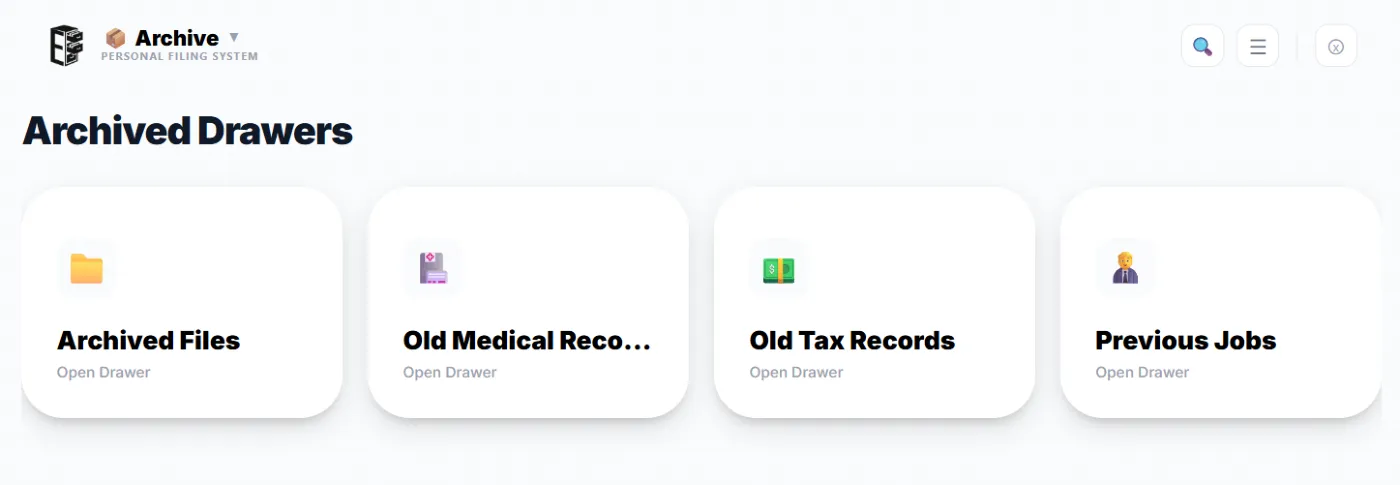
Why we recommend Archive over Trash
Section titled “Why we recommend Archive over Trash”We strongly recommend archiving over trashing. If a document was important enough to file in the first place, it’s probably worth keeping — and the Archive Vault keeps it findable without letting it clutter your day-to-day view.
Archive is also faster than trash when you’re clearing out a whole drawer. Trashing a full drawer means deleting every file inside it first, then deleting the empty drawer. Archiving a full drawer moves the entire thing — files and all — in one step.
Archiving is a Premium feature. If you’re on the Free tier and want to enable it, you can upgrade from your Admin page.